![rpic-yoga_flexible_software-logo-color (1).png]](https://hubsupport.rpic.com/hs-fs/hubfs/rpic-yoga_flexible_software-logo-color%20(1).png?height=40&name=rpic-yoga_flexible_software-logo-color%20(1).png)
AP and GHR Platform Update
Date Range Filtering Across Views
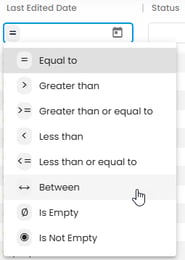
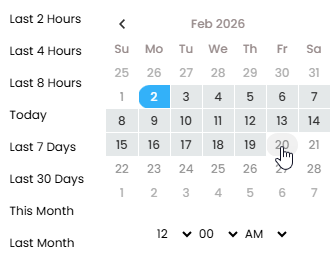
Yoga now supports date range filtering on all date-type columns across Views. Users can filter fields such as Invoice Date, Created Date, Routed Date, Contract End Date, and other date fields by selecting a start and end date to quickly narrow results to a specific time period. This update improves efficiency for both AP and GHR workflows by making it easier to identify invoices, documents, or contracts within a defined timeframe.
Report Experience Improvements
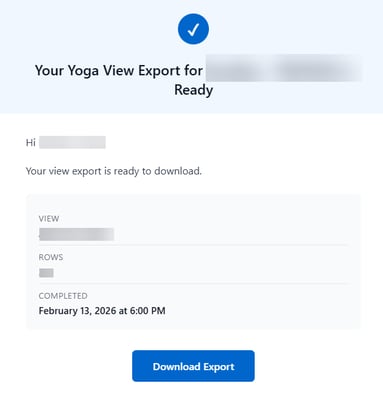
Local Time zone Display in Report Emails
The “Completed” date and time shown in report emails now reflects the user’s local time zone instead of UTC. This provides clearer context and eliminates confusion when reviewing report timing.
Tenant Validation for Report Downloads
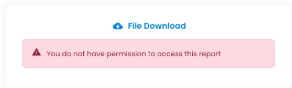
When accessing a report download link, the system now validates that the user is in the correct tenant (for example, Production vs. Test). If the user is in the wrong tenant, the system displays an access message and prevents the report from being downloaded. This ensures reports can only be accessed within the appropriate environment and helps avoid cross-tenant confusion
GHR Solution Update
Duplicate User Validation Blocking
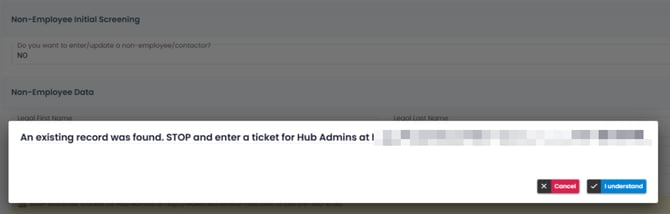
When a user updates Date of Birth (DOB) and/or SSN on a GHR record while the Global ID field is blank, Yoga already performs a duplicate user validation and displays a warning if a potential duplicate is found. With this update, that warning is now enforced. If a duplicate is detected, routing is invalidated and Save and Route actions are blocked until the duplicate condition is resolved. The user must correct the DOB and/or SSN so the system can revalidate the record before proceeding. This change strengthens data integrity by ensuring duplicate warnings cannot be bypassed and helps prevent accidental identity overwrites.
Conclusion
Thank you for being a valued Yoga Software and RPI Client, and for providing us your valuable feedback. To review past release notes, please visit the release notes section in RPI's Yoga Knowledge Base.